
Building a Company Knowledge Base: 5 Myths That Keep You in Chaos
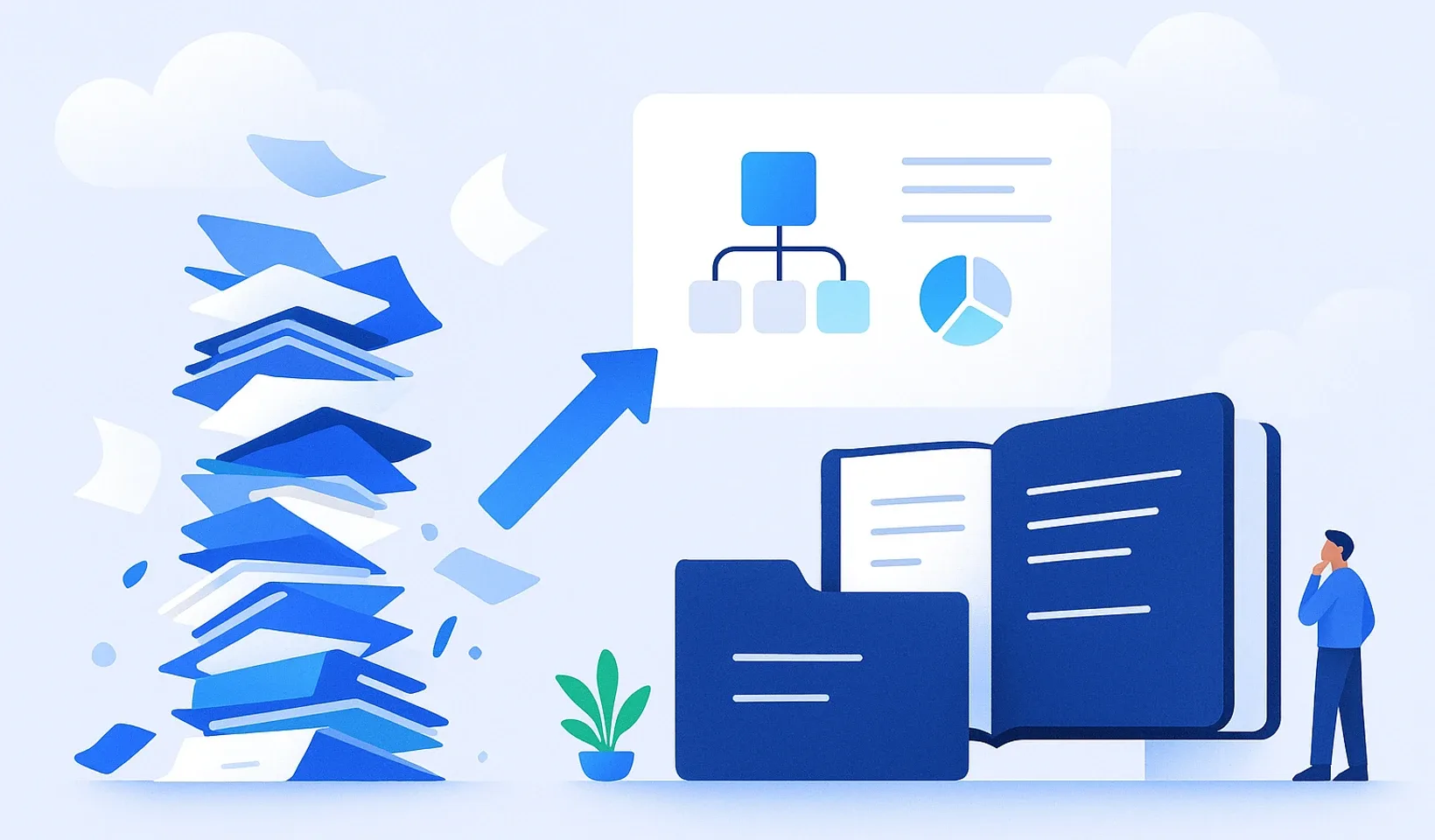
Google Drive isn’t a knowledge base, it’s a digital graveyard where important information quietly goes to die. Have you ever stopped to think about how much time and money you burn answering the same basic questions five times a day? Building an effective company knowledge base isn’t a months-long, sweat-inducing bureaucratic nightmare, it’s the engine of your business. If every important piece of information lives only in people’s heads, your company stays slow, fragile, and chaotic.
It’s completely understandable if you’ve been putting off getting organized. You probably feel like you’d need to hire a dedicated person for it, or shut down production for weeks just to document everything. That’s a huge misconception. In this article, we’ll put an end to the 5 myths that keep you hunting for answers in spreadsheets and endless chat messages. We’ll show you how to build a working, living system in minutes, not months. Our goal is simple: make every one of your processes transparent, speed up onboarding, and stop the pointless interruptions during the day. Let’s look at how the knowledge trapped in people’s heads becomes real, measurable company value.
Key takeaways
-
Building a company knowledge base isn’t a giant project, it’s a process you can start fast once you let go of the pursuit of perfection.
-
You’ll learn how to replace long, boring write-ups with quick videos that AI turns into searchable training material.
-
You’ll understand the difference between file storage and real knowledge management, so nothing gets lost deep in your Drive again.
-
You’ll get concrete tips to make sure your colleagues see the system as genuine help in the daily grind, not a burden.
-
We’ll show you the path to faster onboarding and fewer interruptions, so you can finally focus on the actual work.
The old world: the digital graveyard
- Google Drive and endless folders where information gets lost
- Chaos and repeated questions
- Wasted time
The smart solution: a live knowledge base
- One central place for answers
- Fast onboarding, fewer interruptions
- Real efficiency
Myth
- You think you have to write a 500-page encyclopedia
- You have to stop everything for weeks to document
- The "all or nothing" trap
Reality: start with 5 minutes a day
- The goal isn't perfection, it's usability
- Document only what's needed right now
- A half-finished write-up beats a perfect one that never got made
Myth
- They want novels written, which takes hours
- Nobody reads them
- Slow, boring, inefficient
Reality: video is the new text
- A 2-minute screen recording beats 10 pages of write-up
- AI turns the video into organized, searchable training material
Myth
- Scattered files and chaotic folders
- The information isn't findable, it just exists somewhere
- Headaches instead of knowledge management
Reality: file storage isn't a knowledge base
- A central, instantly searchable place
- Connects information together
- The goal is a fast answer, not a hunt through files
Myth
- Using the system is a chore
- Another mandatory admin burden
- It ends up buried in the account
Reality: make it genuine help
- A good knowledge base is part of the daily workflow
- Not an extra task but a tool that saves time
- It reduces stress
“Building a knowledge base is a never-ending, hard project” - Why you’re wrong
Many people never get started because, in their eyes, building a company knowledge base is like writing a five-hundred-page encyclopedia. They think they have to lock themselves in a room for weeks and type out every single workflow down to the last detail. That’s the biggest mistake you can make. If you approach it that way, you’ll never reach the end, and the project will end up in the trash somewhere after the first ten pages. A knowledge base isn’t a static book you have to create perfectly once. It’s a living, breathing system. It’s like a garden: you don’t plant everything at once, you tend and expand it continuously.
The essence of modern knowledge management is gradualness. You don’t have to document the whole company at once. It’s enough to spend 5 minutes a day on it. This isn’t a giant project you have to survive. It’s part of your daily routine that makes your life a little easier every single day. The goal isn’t perfection, it’s usability. A half-finished but accessible write-up is worth a hundred times more than a perfect document that never got made.
The trap of the “all or nothing” mindset
Most companies fail in the first week because they want to do everything at once. They assign someone responsible who burns out completely after two weeks from all the admin. Then everyone goes back to the old, chaotic methods. Instead, try the “just-in-time” method. This means you only document something when it’s actually needed. When a colleague asks how to issue an invoice, don’t just answer them. Record the answer and put it in the system. And there’s your first brick, done.
Think about this for a moment. What’s the one process or question that ate up most of your time today? Write it down in a single sentence. That’s exactly where you should start documenting. Not tomorrow, but now. If you capture that one thing, tomorrow they won’t be asking you about it.
Start by importing your files
When building a company knowledge base, the biggest waste of time is retyping. You probably already have a million PDFs, Word docs, and Notion pages floating around your company. Don’t rewrite anything you already have. The chaos often isn’t because there’s no information, but because it’s scattered across a thousand places. The solution isn’t producing new content, it’s unifying what already exists.
Take advantage of smart import options. With Corganize, you can upload your existing Word and PDF files by the folderful, and pull your Notion material into one central place using the “Markdown & CSV” export ZIP (here’s how to turn Drive chaos into a system). You don’t have to juggle permissions or folder structures, the uploaded material becomes a lesson. Your only job is to point the way. Organizing is no longer your problem, it’s the technology’s. That way your knowledge base won’t be another chore, but an instantly usable tool that frees up your time.
“Only a written text document counts as real knowledge”
Forget the endless typing. Most leaders get the process of building a company knowledge base wrong by wanting their staff to write novels. Who has time for that? Nobody. Writing a ten-page process description takes hours, and reading it is torture. In contrast, a two-minute screen recording where you show where to click is instantly clear. Video is the new text. It’s faster, more human, and much more efficient. Not to mention, the newer generations were raised this way. They don’t dig through manuals, they watch tutorials.
This is where the power of AI comes in. Today you don’t have to choose between video and text. Record yourself while you work, explain the steps out loud, and let the technology do the dirty work. AI can turn speech into structured, bulleted training material. So you keep the visual quality of the video, but you also get the searchability of text. That’s the essence of a multimodal knowledge base: everyone consumes information in whatever way is comfortable for them. The colleague out in the field listens to the audio in the car, while the office worker quickly skims the outline.
From video to knowledge base with AI
Corganize helps you with exactly this. You don’t have to hunch over a desk to document things. Just record your screen with any recorder, or capture on your phone how you solve a specific problem, then upload the finished file. The system recognizes the speech, creates a transcript, and breaks what it sees into logical chapters. Processing goes into a queue, and we notify you (bell and email) when the draft lesson is ready. Try it with your next recurring customer question. Answer it on video, upload it, and watch it turn into a draft of a professional knowledge base entry. If you want to see how this could simplify your days too, check out our process documentation feature.
The knowledge that doesn’t get lost in meetings
How many hours of valuable information get lost every week in meetings and internal chats? Tons. Important decisions get made, and then a few days later everyone remembers them differently. If you automatically organize these recordings and voice messages, you create real company value out of nothing. This is especially critical for remote or hybrid work. During video onboarding, the new colleague doesn’t get a dry, soulless manual. They see faces, they hear tone of voice, and they pick up the rhythm much faster. Knowledge doesn’t stay a static file on the shelf, it becomes an integral part of daily communication.
“Google Drive and chaotic folders already count as a knowledge base”
Many people lull themselves into the illusion that because they have a shared Google Drive, their knowledge base is already done. That’s a huge mistake. Drive is a digital junk drawer. It’s like a giant warehouse where everyone just tosses boxes into the corner and then hopes to find them later. Files just go there to die. It doesn’t matter that “Marketing_plan_2024” and “Marketing_plan_2024_FINAL_v2” are both there, a new colleague will have no idea which one to touch. Without context, your knowledge simply becomes noise.
Building a company knowledge base isn’t the same as storing files. There’s a huge difference between searchability and findability. Drive has a search box, but it only helps if you know the exact file name. But what if you’re looking for the process? If you want to know what to do when invoicing gets stuck? That’s where search lets you down. Employees spend an average of 1.8 hours a day searching for information. That’s nearly 25% of the workday. That’s not just annoying, it’s a brutal waste of money.
Folder hell vs. a structured operating system
In traditional cloud storage, managing permissions is a complete nightmare. You share a folder but forget the subfolder. Or the other way around. Then come the “I don’t have access” messages that stall everyone’s work. In Drive, you can’t even measure who read what. You have no idea whether the new colleague actually went through the onboarding material or just clicked on the file.
Corganize’s logic is fundamentally different. Here, with natural-language search, you’re not digging through folders, you’re getting answers. It’s a structured operating system for your company. You’re not managing scattered files, you’re managing processes and roles. The system knows exactly what each person needs for their job: with assigned training plans, everyone gets what applies to them. No more permission chaos, just clean, transparent structure.
The single source of truth
The antidote to chaos is the “single source of truth.” It’s the place where everyone can be sure that what they find there is the latest and the authoritative version. No more “which one is final?” question on Slack or messenger. If you update a process, it updates everywhere instantly. You don’t have to swap out the PDF in ten different folders.
You don’t have to throw out your existing work either. You can simply upload your existing documents into the system, but here you can finally give them context. You can build them into a logical onboarding plan or a daily workflow. That way your files finally make sense, instead of just gathering dust in the cloud. That’s how knowledge turns from static data into a real, usable company resource.
“It’ll just gather dust, nobody will use the system”
Many people are afraid to start because they’ve seen it before: the company buys expensive software, everyone types in their knowledge, and a month later nobody even looks at it. That happens when the knowledge base is a separate island alongside the daily work. The solution? Make the system unavoidable. Building a company knowledge base succeeds when you don’t create a static library, but the hub of internal communication. When a colleague asks a question, don’t answer them in Slack with three sentences. Send a link from the knowledge base. And if the answer isn’t there yet, write it there, then link it. That way the system keeps getting updated, and everyone sees the point of it.
The secret lies in motivation. People aren’t lazy, they just hate pointless detours. If the knowledge base helps them get their work done faster, they’ll use it. If it’s just another admin burden, you’ve already lost. Build it into the daily routine. Watch as chaos gives way to efficiency. Your colleagues will be grateful, because they don’t have to hunt for information anymore.
Group-specific training: the secret weapon
Most new colleagues get crushed by information on day one. They get handed a 100-page manual, 80% of which doesn’t even touch their job. Don’t do this. The essence of modern onboarding is selectivity. Only show them what’s relevant to their own work. In Corganize, you can put together group-specific training plans in a few minutes. With the group’s entry package, the new salesperson automatically gets the sales processes on their first login, and the warehouse worker gets logistics. That way the system won’t gather dust, because everyone only gets the information useful to them. And with progress tracking, you can see exactly where each person is in their onboarding. No more guessing.
The synergy of internal chat and knowledge sharing
Much of the information today gets lost in internal chats, on Slack or messenger. These platforms are great for quick message exchanges, but they’re useless for preserving knowledge. Important decisions and solutions just drift off in the feed. Corganize’s internal chat feature solves this. The conversation and the knowledge base are in one place. If a solution discussed in a chat is valuable, you can lift it into the knowledge base. That way the dialogue between colleagues isn’t just noise, it becomes real company value. Try Corganize, and see how internal communication becomes the engine of your knowledge base.
Building a company knowledge base the smart way: The Corganize path
Forget the multi-week rollout plans and the endless consultant meetings. Most software makes your life more complicated instead of helping. At Corganize, we believe in simplicity. You don’t need an engineering degree to set it up. You sign up, and you’re already in the system. Building a company knowledge base with us isn’t another project on your list, it’s the tool that finally checks off the rest. You don’t have to learn how to operate the software, you just do your work.
The whole process comes down to three simple steps. First, you upload your existing files: Word and PDF by the folderful, and from Notion the “Markdown & CSV” export ZIP. Second, you start the AI processing for your videos and audio. Third, you’re done. The foundations are in place in minutes, not months. The system recognizes the speech and creates organized, searchable drafts from the raw material; we notify you when it’s ready. That’s real speed. You don’t have to spend hours formatting or writing outlines, AI does the dirty work for you.
The anti-bureaucratic mindset in practice
Why would you look for complicated Notion alternatives when there’s a system built for exactly what you need? Notion is a great tool, but after a while it turns into an impenetrable mess because of all the free-floating pages. Corganize, on the other hand, gives your knowledge a clean channel. A well-built, live system can free up a lot of time for a leader. Think about what you’d do with all that extra time if you didn’t have to explain the same thing twenty times a day. You can start small: upload your most important documents today, and watch the chaos evaporate.
Your company, your rules
Your knowledge base is your company’s digital face. That’s exactly why with us you don’t get a Corganize subpage that everyone sees. For the Help Center you can use your own web address, so the interface stays completely professional, white-labeled, and branded. Your colleagues don’t log into some foreign external software every morning, they log into your own internal system. And since knowledge isn’t only needed at the office desk, a system accessible from the browser anywhere is a given with us. Whether it’s the warehouse, a construction site, or a client meeting, the information is right there in your pocket. No more calling the office because of a forgotten piece of data.
No more “where’s that file again?”, no more pointless questions and misunderstandings. What’s left is clean structure and efficient work. Building a company knowledge base with us isn’t admin, it’s the key to your entrepreneurial freedom. If you’re fed up with the chaos and the constant interruptions, it’s time to switch. Try the system, and feel the difference from day one. Your company is ready for the next level, and you’re ready to finally focus on what matters.
Put an end to the chaos and build real value!
Chaos isn’t your fate, it’s a choice. If you keep relying on knowledge stuck in people’s heads and impenetrable folders, your company’s growth simply stalls. Building a company knowledge base is no longer a clunky, bureaucratic process you should be afraid of. With AI-driven document creation and simple file import, you can cut through the confusion in minutes. Your knowledge finally doesn’t get lost in the graveyard of chat messages, it becomes accessible to everyone and turns into instantly usable company value.
Don’t wait for the perfect moment, because it never comes. Start small, and watch how personalized onboarding plans free up your monthly hours. Your team will be grateful for the clean structure, and you can finally concentrate on real business building instead of constant firefighting. Switch to a system that works for you, not one that gives you extra work. It’s time to trade chaos for efficiency.
Frequently asked questions
How long does it take to build a company knowledge base?
Building the foundations takes minutes, not weeks of sweat-inducing work. With Corganize you can upload your existing files right away, and the AI processes your video guides into draft lessons that you just review. This isn't a one-time, giant project, it's a continuously growing, living system. With 5-10 minutes a day, you'll feel the change in efficiency and fewer interruptions within the first week.
What's the best software for building a company knowledge base?
The best software is the one your colleagues will actually use in the daily grind. Corganize was built specifically for small business needs, where there's no time to learn complicated systems. While Notion or Drive often turn into an impenetrable mess, here clean structure and automated processes dominate. Building a company knowledge base with us isn't another admin burden, it's real help for your team.
How do I get my colleagues to use the knowledge base?
They'll use it when the system gives them real, instant help with their daily tasks. Don't force them, make the information unavoidable within the workflows. When they ask something, don't answer in Slack, send a knowledge base link. As soon as they realize they don't have to hunt for information for hours and they get their work done much faster, they'll choose this solution on their own every day.
Can AI really turn a video into a document?
Yes, this is reality today, and it saves you an incredible amount of time. Corganize's AI feature can turn screen recordings or audio into structured, written training material. You can make the recording with any external tool, then upload it. You don't have to type out processes for hours anymore. Just record yourself while you work, explain the steps, and the software bullets it, breaks it into chapters, and makes the knowledge searchable; the end result is a draft lesson you review and publish.
What's the difference between Drive and a company operating system?
Drive is a simple file store where documents often get lost deep in folders without context. In contrast, a company operating system like Corganize gives information clean structure and meaning. Here you don't just have files, you have group-specific training plans, measurable progress, and internal communication. We don't just store the data, we put the knowledge accumulated in your company into motion and put it to use.
Do I need an IT person to set up Corganize?
You don't need an IT person or a technical genius at all to get the system going. We designed the interface so that anyone who can use a browser can confidently manage it in minutes. Importing and using the AI-based features is just a few simple clicks. You shouldn't spend your valuable time configuring and fine-tuning software, but on what you do best: successfully running your business.
How does the knowledge base help onboard new team members?
The knowledge base dramatically speeds up onboarding with group-specific training plans. The new colleague doesn't get all the information at once, only what's essential for their own work to get started; with the group's entry package, that falls into place automatically on their first login. And with progress tracking, you can see exactly which part they've already completed successfully. That means fewer pointless questions, fewer mistakes, and much faster independent work from day one.
Is my data safe in the Corganize system?
Protecting your data is a top priority for us, since you're entrusting us with your company's most valuable intellectual capital. We require two-step login (email code or authenticator app), and we store each company's data separately. You define the permissions using the four roles, so everyone only accesses what you've allowed them. And using your own web address provides a further professional, consistent look for your entire team.
Build your company knowledge base with Corganize
Take back control of your time and your company. You'll see it's much easier than you think: import your most important material, and the chaos turns into clean structure in minutes.
Get started now