
Document Your Processes With Video: Ditch the Typing in 2026
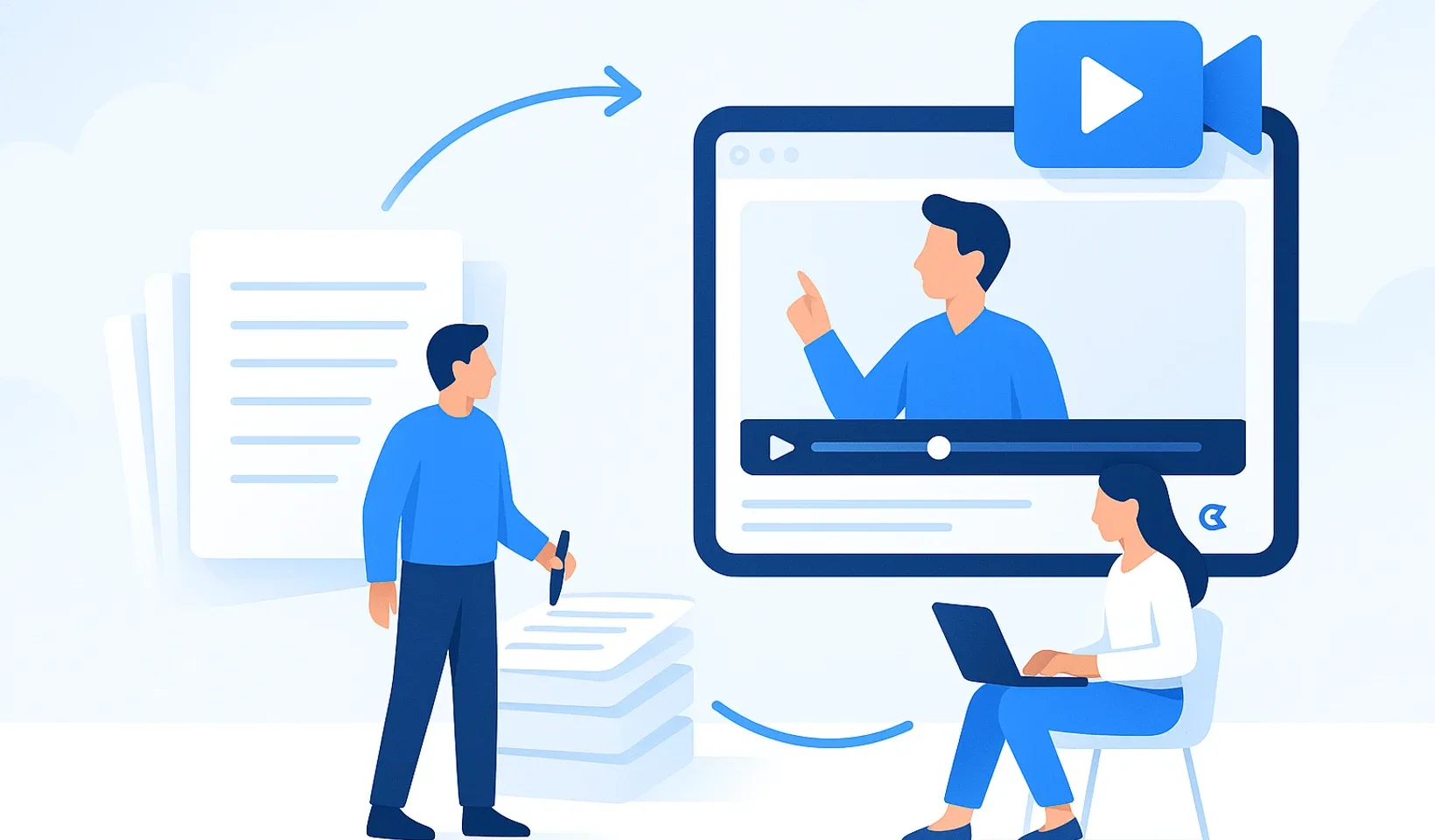
Let’s be honest: almost nobody actually reads company documentation. You hate spending hours typing out a workflow that you could demonstrate live in ten minutes. Right now the knowledge only lives inside people’s heads, and when a key person leaves, their experience walks straight out the door with them. Documenting your processes with video is not some distant vision of the future; it’s the fastest way to finally bring order to your daily chaos. We can agree that in 2026 typing is just a pointless waste of time that drains your valuable energy away from real work.
We’ll show you how to turn your tangled workflows into a professional knowledge base using nothing more than simple video recordings and AI. The goal is to stop answering the same repetitive questions over and over, and to make onboarding new colleagues almost run itself. In this article we’ll walk through the practical steps of recording video, the power of AI in building structured notes, and how you can build an instantly usable, searchable knowledge base. Get ready, because from now on documentation won’t be a boring administrative chore, but your company’s most effective tool.
Key takeaways
-
Forget typing for hours; recording video is ten times faster, and your team will remember what they see far more easily.
-
We’ll show you how to make focused, short clips of a few minutes that transfer knowledge instantly instead of endless monologues.
-
Documenting your processes with video delivers the most value when you focus on the critical tasks that cover 80% of daily work.
-
You’ll learn how to solve video’s biggest drawback and make your content searchable by keyword in seconds.
-
You’ll discover the method that lets AI automatically carve a structured training document and outline out of your raw videos.
Table of contents
Why video is the fastest route to documenting processes
Most business owners and operations managers get a lump in their throat when they think about process descriptions. You know you should have them. You know it’s chaos without them. Yet you still don’t do it. Why? Because writing simply hurts. Typing, formatting, cropping screenshots; that’s not work. That’s torture. Documenting your processes with video, on the other hand, changes that experience from the ground up. Fast. Simple. Instant.
Describing a process takes on average ten times longer than recording it. By the time you’ve written “click the gear icon in the top left corner,” you’ve already gone through three more steps on video. Video doesn’t ask follow-up questions. It doesn’t misread the context. And your colleagues’ brains will thank you for it. Visual information sinks in far deeper and faster than dry, black-and-white letters.
Using screen sharing eliminates the typical misunderstandings that come from software use. No more “I can’t see that button” or “it looks different on my screen” complaints. Video is also personal. It conveys the tone, the emphasis, and those subtle professional tricks that would be impossible to type out. Today transferring knowledge through video is the most effective way to make sure the knowledge doesn’t only exist inside your head. Don’t waste your time on something a Record button could handle.
Writing vs. video: the battle of speed and clarity
Why do we keep pushing documentation off for weeks? The answer is simple; our brains resist low-efficiency work. Writing is slow. Video, on the other hand, delivers instant results. Apply the “show, don’t just tell” principle to your daily routine. Documenting your processes with video isn’t just easier for you, it’s also clearer for your team. When a colleague asks something, don’t start typing a long email. Hit record. With this switch you can win back several hours a week that you can finally spend building your business instead of on admin.
When should you choose video documentation?
There are situations where video is simply a must. Software workflows and complex click-through guides are exactly these. If you need to show a new colleague the CRM system or the internal invoicing flow, video will be your salvation. Transferring customer communication patterns is just as important. Show on video how you handle a difficult call or how you write a sensitive proposal. And for complicated, multi-step administrative tasks, video is the only guarantee that people won’t mess up the process after the third step. If they can see what you do, they’ll be able to copy it.
Loom video documentation: how to do it like a pro
Loom is the simplest tool when documenting your processes with video is your goal. Why? Because people see your screen and your face at the same time. This builds trust. It’s not a soulless robot talking, it’s you. Before recording, tidy up your desktop and your browser tabs. Nobody cares about your private inbox or yesterday’s leftover lunch. Audio is the most important detail. If they can’t hear you clearly, they won’t pay attention. Use a simple headset with a microphone for clean sound. As for lighting, the only rule is to not have strong sunlight coming from behind you.
Research also confirms that video is the fastest route to transferring and retaining new information. Don’t try to make an Oscar-worthy production. The goal is clear communication and efficiency. Make short, 2-5 minute clips. If a process is longer than that, break it into several smaller parts. Nobody wants to sit through a 20-minute monologue for a single tiny settings click. Short videos are easier to digest and can be rewatched anytime.
The recipe for the perfect Loom video
Don’t hit the Record button without preparation. Write an outline with three or four points. What do you want to achieve? What’s the first step? Talk as if your new colleague were sitting right next to you at your desk. Be direct and friendly. If you fumble a word or trip over your tongue, don’t stop the recording. Correct yourself and calmly move on. Authenticity is worth more than sterile perfection. Your teammates will see that you’re human too, and they’ll be braver about making their own videos of their tasks.
Organize and share smart
Making the recording is only half the job. If your videos stay in a dumped-together list in the cloud, nobody will find them when they’re in trouble. Set up a logical folder structure inside Loom. Give finance, sales, and technical support their own separate places. Use descriptive titles for your files. Instead of “Video 1,” write “How to issue an invoice in [your billing tool].” That way anyone can instantly find the answer to their question with search. For internal processes, watch out for permissions too. Only the people who actually need to should see sensitive data. And if you want these recordings to be more than just files, and become the foundation of a professional knowledge base, it’s worth taking a look at the Corganize solutions, where AI helps you organize your recorded processes.
The biggest trap of video documentation (and the fix)
Video is a brilliant tool, right up until the moment you need to search inside it. Sound familiar? You know you recorded it. You know you explained it. But where on earth are those two crucial seconds where the key point is mentioned? This is where most video knowledge bases fall apart. Your colleagues won’t watch a ten-minute monologue just to find out which button to press in the billing app. They’d rather call you. Or message you on Slack. This is how documenting your processes with video, instead of saving time, turns into just another digital junk pile that everyone avoids.
Video is fundamentally linear. That means you have to play it from start to finish to extract the information. But knowledge rarely works like that. When a colleague gets stuck, they need an instant answer, not a feature film. If your recorded material isn’t searchable, then you’ve really only postponed the problem. The knowledge did leave your head, but it’s still not accessible to the team. This is the biggest trap most small businesses walk into during digitalization.
Why do video knowledge bases fail without AI?
The information is simply locked inside the video file. You can’t search for keywords. There’s no Ctrl+F option. This lack of searchability is what causes the greatest frustration in the team. If a video doesn’t provide an instant answer, then in your colleagues’ eyes it’s worth nothing. Then there’s the question of updates. What happens when the software interface changes? Do you re-record the whole thing? This is the point where many people give up and go back to the chaos. Without AI, video is just a clunky pile of data that doesn’t keep up with the pace of modern work. If knowledge only hides behind pixels, it’s as good as nonexistent.
The role of AI in modern knowledge management
The solution isn’t to type more. The solution is to let AI work for you. Today’s technology can turn your voice into pinpoint-accurate text. This is the foundation for building a truly searchable video knowledge base for your team. AI doesn’t just transcribe what you say. It also understands the context. It automatically breaks the recording into chapters. It gives them descriptive headings. It extracts the most important bullet points and action items.
From this point on, documenting your processes with video isn’t just a simple recording. It’s a living, breathing document. When your colleague searches for “void an invoice,” AI doesn’t just spit out the video. It shows the answer right there in the text transcript, and jumps to the exact point in the recording where you talk about it. This eliminates video’s biggest drawback. Knowledge becomes accessible, searchable, and finally genuinely usable. You no longer have to choose between fast recording and a precise description. You get both at once, with zero extra effort. This method doesn’t just save you time, it also lifts the burden of constant explaining off your shoulders.
Here's how to document workflows 10x faster with video
Traditional written guides are slow, and nobody likes them.
It takes hours to type, format, and crop screenshots. You could spend that time building your company instead.
Your team would rather ask for the tenth time than dig through a dry, 50-page PDF.
When a key person leaves, their experience goes with them. Valuable knowledge gets stuck in heads, not in systems.
Let's look at it. Video simply wins on every level.
Time to create
Long and tiring
Comprehension & retention
Low efficiency
Time to create
On average 10x faster
Comprehension & retention
Visually much more effective
You don't need to be a film director. Just follow these few simple steps.
Clean up your desktop, write a 3-4 point outline. The goal is focused, clear communication.
Use a simple headset with a mic for clean sound. Sit facing a window, not with your back to it.
Aim for 2-5 minute videos. If a process is longer, break it into several digestible parts.
It's fine to make mistakes. Just correct them and move on. Authenticity matters more than perfection.
Use descriptive file names and a logical folder structure so you can find everything instantly.
Put the videos in one central place everyone can reach. This becomes your company's new, living knowledge base.
...and how AI solves it with a single click.
You can't search a video by keyword. The info is there, but it's useless if nobody can find it when they urgently need it.
AI automatically summarizes the video, creating notes, an outline, and a task list that become searchable.
Raw video becomes structured, searchable knowledge automatically.

How to build a video knowledge base for your team
Documenting your processes with video is most effective when you don’t try to cover the entire company at once. Start small. Use the Pareto principle; identify the critical 20% of your processes that make up 80% of daily work. These are the tasks that get messed up most often, or the ones colleagues ask about most. If you record these, you immediately lift a huge burden off your own shoulders.
Don’t try to record all the videos yourself. You’re the leader, not the content creator. Appoint owners in every area. Let the person who does the process day in and day out record it. They know the pitfalls, they notice even the smallest details. Set up a central place, a single source of truth, where every video is accessible. If the links are scattered across Slack or emails, the whole project is doomed to fail.
Introduce a simple feedback loop too. Ask the team; was the recording clear? Is anything missing? This helps ensure your knowledge base isn’t just a digital junk drawer, but real help in everyday work.
The power of role-based onboarding
For new hires, the biggest source of stress is the lack of information and uncertainty. Create role-based playlists for them. A new salesperson shouldn’t get the finance videos, just the bundle that’s essential for their job. With this method onboarding time can be significantly reduced, since you don’t have to walk everyone through the systems one by one for hours. When someone asks something, answer it once, record your screen, and put it in the shared space. Next time you only have to send the link.
Continuous updates without chaos
Many people worry that video quickly becomes outdated. That’s true if you produce half-hour monologues. Use the microlearning principle instead. Make short, focused videos of one specific subtask each. When a process changes, you only have to swap out that one or two-minute clip, not the whole training material. Video is flexible and dynamic, so it finally replaces static, boring, quickly outdated PDFs. If you want your videos to build into an up-to-date knowledge base, it’s worth integrating the Corganize system into your workflows.
Corganize: when video becomes structured knowledge automatically
Videos on their own are just files. If there’s no system behind them, you’re only producing digital noise. Corganize doesn’t just store your recordings; it understands them too. This is where documenting your processes with video reaches its final form. You no longer have to choose between fast recording and a thorough description. AI does the dirty work for you. Until now you spent hours somehow getting what was said in the video onto paper. Now that’s over. Knowledge finally gets out of people’s heads and into an organized structure that anyone can access.
Upload your Loom video, the processing gets queued, and we notify you when the draft outline and description are ready. This is a centralized knowledge base. Every video becomes searchable as text too. When your colleague searches for a term, the system instantly jumps to the point in the video where you talk about it. If you want a professional company appearance, you can use a custom-domain interface too. This isn’t just one more software among many. This is your company’s digital brain. Finally you’re not managing technology, you’re building your business. Ownership mindset starts here: you control the system, not the other way around.
How does Corganize automate documentation?
You upload the recording, the processing gets queued, and you get a notification when the draft of the structured training document is ready. No more copying and formatting. AI extracts the essence, lists the action items in bullet points, and gives descriptive titles to the chapters. Bring in your existing material too; you can upload your Word and PDF files even by the whole folder, and your Notion export via its Markdown & CSV ZIP. You don’t have to start everything from scratch. Just drag in your existing files and let the system bring order to them. And the built-in chat helps the team discuss the details right where the knowledge lives. No more messages lost deep in Slack or endless email chains. Every question and answer stays next to the relevant process.
Switch from chaos to organized success
Why is this better than Monday or Notion? Because those are too complicated. Most managers spend more time setting up the software than doing the actual work. We believe in the “anti-bureaucratic” mindset. The power of minimalist design is that it doesn’t distract you. Fewer clicks. More tasks done. Documenting your processes with video is dead simple and intuitive on the Corganize interface. We designed it so you don’t have to learn a new language. The software adapts to you, not the other way around. Don’t wait for the perfect moment or the next quarter. Start today. Document your first process with video and feel the freedom of being organized. Calm, organized growth finally takes the place of chaos. Your team will be grateful for it, and you’ll finally get your time back.
Take back control of your time!
The era of typing is over for good. In 2026 you can’t afford to waste hours on written guides that nobody cares about. Video is ten times faster, and AI finally solves every headache of searchability. Documenting your processes with video is no longer a boring administrative burden, but your company’s most important engine. With this method, knowledge doesn’t get stuck in people’s heads, it becomes instantly accessible to everyone.
You’ve seen how the pairing of Loom and Corganize brings order to daily chaos. With AI-based video-to-text conversion, every recording becomes a draft of a professional training document. With simplicity tailored specifically to small businesses and a custom-domain knowledge base, we help your company level up. No more pointless questions. No more days wasted during onboarding. Just clean structure and efficient work remain.
Don’t wait for the perfect moment, because it never comes. Start your first video today!
Go for it, dive in with confidence, your system will thank you for it!
Frequently asked questions
How long should an ideal process documentation video be?
The ideal video length is between 2 and 5 minutes. If a process is more complex than that, break it into several smaller parts. Your team will watch short clips far more willingly, and you'll be able to update them more easily too. Don't do long monologues; stick to the point and the specific clicks. That's how your knowledge base becomes digestible and genuinely useful for everyone.
How can you search inside a video knowledge base?
In a video knowledge base you search using the text transcripts created by AI. Corganize automatically processes the audio, so documenting your processes with video no longer means lost information. Just type the keyword into the search box, and the system instantly jumps to the right point in the video. You don't have to watch the whole thing, just the few seconds you actually need.
What tools do I need to start video documentation?
To get started, all you need is a computer, a headset with a microphone, and screen recording software such as Loom. Audio quality matters more than the picture, so don't use your laptop's built-in mic. For organizing and AI-processing the videos, it's worth choosing Corganize. This minimal toolkit is more than enough to build a professional, searchable knowledge base for your team.
What happens when a process I've already recorded changes?
When a process changes, simply re-record that short, few-minute part and swap out the old one. This is the biggest advantage of microlearning. You don't have to re-record a whole hour because of a single button change. Video documentation is flexible; just show the change, and your knowledge base is up to date again. It's faster and simpler than rewriting and reformatting a PDF.
Is it safe to store internal company processes on video?
Storing internal processes is completely safe if you use a platform that supports role-based access. In Corganize you can set exactly who can access which video. Sensitive data doesn't become public, and only the relevant colleagues see it. Security isn't a question for us, it's a basic requirement; your company's knowledge stays with you, within protected boundaries.
How do I get my team to make videos too?
The best method is leading by example and letting go of unnecessary expectations. Show them how much time you save by not having to explain the same task five times. Tell them you don't expect professional editing or flawless speech. The goal is transferring knowledge, not filmmaking. If they see it makes their work easier too, they'll start recording on their own.
How does AI help with video documentation?
AI creates an accurate text transcript, outline, and summary from your uploaded recordings. You don't have to type; the AI understands what you're saying and turns it into a structured document. This is what makes searchability and quick clarity possible. With AI, documenting your processes with video becomes real, automated knowledge management that lifts the boring admin off your shoulders.
Should you use free or paid Loom?
The free version is perfect to start with, but for serious work we recommend the paid Business plan. In the free version the number and length of videos is limited, which can quickly become a bottleneck for a growing company. The paid version gives you unlimited recording and AI features, which are essential for building a complete knowledge base. Invest in your time; the unlimited option quickly pays for itself in efficiency.
Create your first video process description
Try Corganize and see how your recordings become organized, searchable company knowledge. Machine processing always produces a reviewable draft you can publish to the team with a single click.
Try Corganize