
Online Employee Training: Build a Pro System in 2026
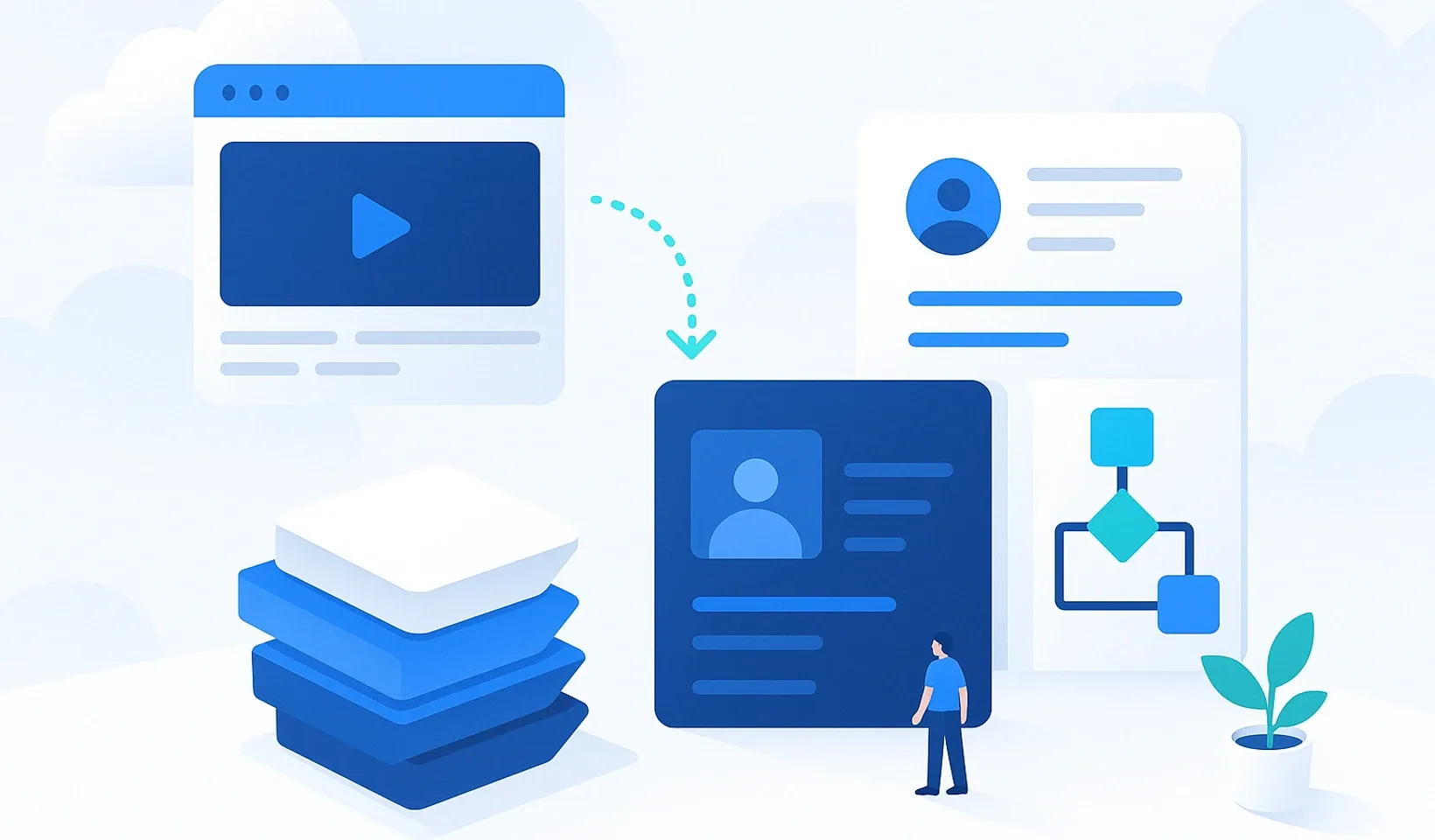
How many times did you explain the same workflow this week? Probably too many. Your senior colleagues’ time drains away in constant repetition. And your critical knowledge is scattered across Drive folders, people’s heads, and chat messages. This is not just annoying, it’s expensive. In 2026, online employee training is no longer a distant luxury but the foundation of efficiency in a market where so many small businesses struggle to find skilled workers. We feel the tension when onboarding drags on for weeks and staff forget what they learned because there’s nowhere to look it up again.
We agree that unstructured knowledge transfer eats into your profit. It’s time to forget the constant firefighting and the chaos. In this article we’ll show you exactly how to turn your company processes into a measurable and automated online training system. You’ll learn how to build a logical, searchable knowledge base that radically speeds up your onboarding. We’ll walk through the practical steps you can use to free your best people from repetitive questions, and finally bring order to your daily workflows.
Key takeaways
-
Forget static PDFs and boring videos; you’ll learn why most traditional training attempts fail.
-
We’ll show you how to build a measurable online employee training system that works as your company’s collective memory.
-
You’ll understand why organizing your internal processes is the real competitive edge over generic external courses.
-
You’ll get a 3-step action plan to launch your digital knowledge base in minutes from your existing Drive or Notion material.
-
We’ll explore how you can save huge amounts of time with AI that automatically turns your videos into training documents.
Table of contents
Why do most online employee training efforts fail?
At most companies, “training” boils down to handing a new hire a pile of outdated PDFs and a few two-hour, boring videos. That is not training. That is a digital junk drawer. The era of static files is over. Nobody will read a 40-page manual while trying to solve a specific problem right in front of the screen. The information stays buried deep in files, and staff would rather grab a senior colleague for every little thing.
The biggest mistake, though, is isolating training from daily work. If knowledge isn’t available instantly, processes fall apart. That’s when the “tribal knowledge” trap kicks in. This is the situation where critical information exists only in a few people’s heads. If a key person quits or goes on vacation, the company’s memory leaves with them. According to the fundamentals of training and development, knowledge should not live in a static folder but in a living, constantly updated ecosystem.
The price of chaos: how much does bad onboarding cost?
Bad onboarding isn’t just annoying, it’s measurably expensive. Think about it: every hour your most experienced colleague spends explaining the basics is lost profit. In 2026, many small businesses are struggling with labor shortages. At that kind of pace, waiting weeks for efficiency is a luxury. Because of uncertainty, new hires give up sooner. And turnover restarts the costly recruitment cycle. Fixing mistakes caused by missing information just burns even more money.
Information overload vs. structured knowledge
A folder structure dumped into Google Drive is a graveyard for knowledge. The more files there are, the harder it is to find what matters. Information overload paralyzes work because people get lost in the details. The solution is searchability and role-based access. Everyone should see only what they truly need for their job.
This is where the power of micro-learning comes in. Forget marathon training sessions. You need short, digestible content. Bite-sized knowledge that answers a specific question in 2-3 minutes. When the system is clean, the number of questions drops dramatically. The goal is order:
-
No more “where do I find this?” chat messages.
-
Knowledge is instantly searchable and accessible from mobile.
-
Processes are consistent no matter who does the task.
How is a modern online training system built?
Professional online employee training is not a pile of files. It’s the company’s collective memory. All knowledge lives in one central place, but not everyone sees everything. Chaos begins the moment you flood a new colleague with irrelevant information. In a modern system, role-based onboarding plans do the work. The salesperson only sees the sales scripts and how to use the CRM. The warehouse worker only sees the packing processes. That way there’s no unnecessary noise, just clear focus and faster learning.
In 2026, learning no longer stops at the office desk. The point of a mobile-first approach is that knowledge is right where the work happens. A colleague can pull out their phone in the field or at a client’s site. They watch a short video and already know the solution. That instant help is worth far more than a full day of classroom training. If the system is interactive and includes an internal communication channel, growth becomes continuous. Answers to questions get built into shared knowledge, so nobody has to ask the same question twice.
Digitizing knowledge with AI
Many business owners keep postponing building a system because they have no time to write training material. Don’t write anything. Just record a video or audio of yourself doing a task. Today’s AI can automatically transcribe these and shape them into a structured training document. A simple meeting recording where you discussed a new process instantly becomes evergreen training material. This speed is a basic requirement if you want to keep up with the market. If you’re interested in efficient training methods, AI-powered content creation is one of the fastest paths to success.
Build on the material you already have
You don’t have to start building from scratch. If you already have documentation in Google Drive or Notion, simply upload and import it into the new system. For a professional look, use your own domain. That way the training interface becomes an organic part of your brand instead of a foreign piece of software. And the internal chat feature makes sure questions don’t get lost among emails. Every answer stays in one place, so your knowledge base grows on its own every single workday. It’s worth seeing what an integrated company operating system looks like in practice, because the era of complicated software is over.
Off-the-shelf courses vs. your own knowledge base: which is better?
“Let’s just buy a ready-made course and the problem’s solved.” Many people think this way. But there’s a catch. Generic training is useful, but it won’t make your company unique. Your competitor can buy the exact same expensive Data Science course or Excel class. Your real competitive edge lies in how you handle your customers. In how your internal software works. The true power of online employee training is in organizing your own internal processes. That’s something you can’t buy off the shelf.
Think about cost-effectiveness too. You have to pay for an external training every single time a new person joins. With your own knowledge base, you only document the process once. From then on, the system trains your tenth and hundredth colleague for free. This isn’t just saving money. It’s an investment in your company’s collective memory.
When should you choose external online training?
There are situations where reinventing the wheel makes no sense. If a colleague needs to learn accounting for sole traders, a good online course is a perfect choice. External training is great when you need to develop general professional skills. Things like learning a language, using graphic design software, or obtaining official certifications required by law. These courses bring fresh market trends into your organization, which you can then build into your own workflows.
Why is your own internal training system essential?
External material will never explain how to use your unique admin interface. It won’t convey your company’s style or values. If you don’t have your own system, knowledge leaks away. With every new hire you start explaining from scratch, which burns a huge amount of senior work hours. An internal system institutionalizes knowledge. There’s no more “tribal knowledge” where information exists only in a few people’s heads. If someone leaves, their processes and experience stay with the company. That’s the foundation of security.
The best solution is a hybrid model. Use external courses for the basics, but build your daily operational work on your own knowledge base. That way your colleagues get general development but also know exactly how to work flawlessly at your company. This kind of order brings calm to everyday life.
The real price of chaos
- Scattered knowledge: critical information gets lost in Drive folders, people's heads, and chat messages.
- Wasted time: senior colleagues' time goes into repeating the basics.
- Ineffective tools: static PDFs and multi-hour videos motivate no one.
- High costs: slow onboarding and high turnover measurably burn money.
The power of a system
- Central knowledge base: all knowledge in one instantly searchable place.
- Targeted content: role-based access, everyone sees only what matters.
- Micro-learning: 2-3 minute, digestible bites with instant answers.
- AI automation: a recording becomes a draft lesson you review and publish.
Labor shortage
Many small businesses are still struggling to find skilled workers, making fast onboarding essential.
1. Collect
Upload and import your existing material from Word, PDF, or Notion exports. You don't have to start from scratch.
2. Automate
Record a video of the process with any device. AI turns it into a searchable draft lesson.
3. Organize
Create training plans and learning paths so everyone knows where to start.
How to launch digital training in 3 simple steps
Don’t try to save the world all at once. Most business owners go wrong by spending months planning the perfect training material while daily work falls apart in chaos. Launching online employee training is not a giant software project, but a simple decision to choose order. Start small. Pick a single critical area and get it in order in the first week. The goal isn’t to build a digital library, but to finally let your colleagues work independently.
Use what you already have. Don’t rewrite everything if you already have documentation in Drive or Notion. Import these existing documents and give them a logical framework. Automation begins when you set up role-based plans. From then on, the system does the dirty work: the new hire knows exactly what to learn, and you can see where they are in the process. Measure and refine. Ask colleagues for feedback and improve the material where questions still come up.
The first step: identifying critical knowledge
Look around the office or the chat. Which is the process where the most mistakes happen? Who’s the senior colleague that gets stopped ten times a day with the same little thing? That’s your starting point. Don’t write a 20-page manual about it. Record the answer with a short video and upload it to the system. AI turns it into a searchable, step-by-step process description in minutes. With that simple step you’ve already freed up your most valuable people’s time. If you’re fed up with the constant repetition, build your own system today.
Building structure without chaos
Don’t build a labyrinth. The most common mistake is an overcomplicated folder structure. The rule is simple: every important piece of information should be at most 3 clicks away. Use clear, everyday names and tags. Instead of “Marketing processes,” go with “How to post on Facebook.”
Role-based onboarding plans help maintain focus. If someone joins as a salesperson, they shouldn’t see the warehousing guides. They only get the knowledge they need for their daily work. This clarity reduces anxiety in new hires and drastically shortens the learning curve. Order doesn’t come from more information, but from filtering out the excess:
-
A searchable knowledge base for daily questions.
-
Personalized learning paths.
-
Continuously updated, living documentation.
Corganize: where training and efficiency meet
Corganize is not yet another piece of software you have to learn how to operate. Quite the opposite. It’s your company’s operating system that adapts to you. Online employee training usually bleeds out because the system itself is more complicated than the work it’s supposed to do. We eliminated that. The interface is clean, minimalist, and free of clutter. This tool is built for people who want to make progress, not manage software. For us, trust comes from simplicity.
With us, knowledge doesn’t gather dust in hidden folders. The AI features take all the hassle of documentation off your shoulders. You don’t have to spend hours hunched over your desk producing training material. Just record the process as video or audio, and the intelligent algorithm does the dirty work. You get a structured, searchable, and instantly usable draft lesson that you review and publish. This kind of speed is what lets your system truly grow together with your business. Whether it’s a five-person micro-business or a rapidly expanding organization, order is a basic requirement here.
Forget complicated frameworks
Rolling out most enterprise frameworks takes weeks, even months. You need training to use the training. That doesn’t exist here. We built Corganize so anyone, with no technical background, feels at home right away. There are no unnecessary buttons, no suffocating bureaucracy. Just a clean interface and what matters. You’ll feel the results not months later, but with your very first new hire. Onboarding speeds up and the pointless back-and-forth disappears. That liberating feeling is real efficiency.
Take the first step toward an organized company
Daily chaos isn’t fate, it’s the consequence of missing structure. Corganize helps you end the constant firefighting in the office. When all knowledge is in its place and available to everyone, the pointless questions simply stop. Senior colleagues can finally focus on real growth instead of repeating the same basics a thousand times. Try how scattered information stuck in people’s heads becomes real, measurable value in your hands. Don’t wait for the “when I have time” moment, because it never comes. Start now, and see what it feels like to work in a professionally organized company. Sign up for Corganize and get your company training in order!
Make knowledge the engine of your company
Chaos is not mandatory, and knowledge can’t stay only in a few colleagues’ heads. We saw that the era of static PDFs is over, and that real efficiency needs a living system you can access anytime. Accurately documenting your own internal processes is the investment that produces measurable profit with your very first new hire. When knowledge is searchable for everyone, senior colleagues can finally breathe, and onboarding happens in days instead of weeks.
In 2026, online employee training is no longer the distant future but a basic requirement for daily survival and scalability. You need a solution that doesn’t overcomplicate your life but takes the burden of documentation off your shoulders. That’s exactly what Corganize does. AI-powered video transcription, role-based training plans, and custom domain support all serve one purpose: so you don’t fight the software but focus on building your company.
Build your company’s digital brain with Corganize! This is the simplest and fastest path to an organized, professional business. Don’t keep waiting for the perfect moment, because chaos never disappears on its own. Dive in today and make room for real, uninterrupted growth.
Frequently asked questions
How long does it take to roll out an online employee training system?
Rollout can take just a few hours if you already have existing material. With Corganize you don't have to wrestle with weeks of software setup. Uploading and importing your existing Word, PDF, and Notion material is done in minutes. And with AI, your recorded videos become a structured knowledge base. So launching online employee training isn't a month-long project, it's a simple afternoon task.
Do you need IT skills to use Corganize?
You don't need any IT knowledge or a developer to use the system. We designed the interface so an average user finds their way around instantly. There are no complicated settings or hidden menus. If you can use a browser, you can manage your company knowledge base too. Our goal is friction-free work, not putting up technical barriers.
How can AI help with creating training material?
AI takes the burden of documentation off your shoulders by turning videos and audio into written training material. You don't have to type out processes for hours. Just record your screen or your voice with any device while working, and the system produces a searchable draft lesson from it that you only need to review and publish. This speed is what keeps your knowledge base up to date with the least effort.
What file formats can you upload to the system?
You can easily bring almost any existing material into the system. You can upload your Word and PDF files even by the folder, and import your Notion material from the Markdown & CSV export ZIP. The platform also handles videos and audio. The point is flexibility: you shouldn't have to worry about the format, only about getting knowledge to your colleagues.
How can I check whether my staff actually completed the training?
With progress tracking on day-by-day training plans, you can see exactly where everyone is in the process. You don't have to guess or keep asking your colleagues. The system measures progress, so it's immediately clear if someone got stuck or finished a section. Check questions and quizzes ensure everyone gets the basics they need for their job, while you can sit back with peace of mind.
Is the system suitable for training people who do physical work?
Yes, the knowledge is accessible from a browser on mobile, so it's perfect for people working in the field or in a warehouse. They don't have to sit at a computer to learn. Staff can view short, practical guides on their own phone right before doing a task. This kind of online employee training provides instant help right where the real work happens.
Can I get a branded (white-label) interface?
Yes, a custom web address and white-label branding are supported for a professional look. This means the training interface appears to your staff as part of your own brand. They don't feel like they're in a foreign piece of software, but in the company's own digital hub. This builds trust and strengthens company culture from day one.
How is Corganize different from Google Drive or Notion?
Corganize isn't just storage, it's a company operating system that brings structure to chaos. While files often get lost in Drive, here all knowledge is searchable and assigned to roles. It's more focused than Notion because it's specifically designed for business efficiency and knowledge transfer. Here, training, communication, and the knowledge base work as one unit.
Get your company training in order with Corganize
Start your 5-day Corganize trial and see what it feels like to work from a professionally organized, searchable knowledge base. Your existing material becomes structured onboarding in minutes.
Start your trial